Imagine standing before a familiar castle — your Godot project world — only to see its gates open onto a refreshed interior. That was my first impression launching Godot 4.6: familiar, yet full of new magic. Godot 4.6 is not a revolutionary overhaul but a gentle evolution, preserving your knowledge while quietly adding conveniences. Here's a tour of what changed and how it affects your workflow.
Should You Upgrade?
The Godot team minimized breaking changes, making the upgrade smooth. If you're mid-project on 4.5 with everything working, there's no rush — finish first, then upgrade. I upgraded 20+ GDQuest course projects (tens of thousands of lines, thousands of files) in just a few days including testing.
- Backup! Backup! Backup! On first import, Godot 4.6 offers a backup option (if you don't use version control) — always check it.
- New projects: start directly on 4.6, which enables the Jolt physics engine by default for 3D.
- Glow users: screenshot or record your current look before upgrading for comparison.
- Glow is now faster (especially on mobile), using screen blend mode and processing before tone mapping. Results are more consistent across renderers and HDR-ready, but scenes may look slightly different — highlights appear more natural. You may need to increase intensity to restore the old look.
- Quaternions now initialize to identity (no rotation) instead of zero, which is more correct since zero isn't a valid rotation. Impact is minimal.
- Quick Open dialog now shows live previews in the viewport (textures, materials, fonts).
- Drag resources from FileSystem to the script editor to auto-generate correctly typed
@exportvariables. - Errors in the output panel are clickable, jumping straight to the code line.
- Runtime game speed adjustment, useful for inspecting fast physics.
- Debugger Step Out function to jump back to the caller.
- Precise angle indicator when rotating objects.
- Orbit camera snaps to orthographic standard views (front, top, 45°) when pressing Alt near them.
- New Select mode: select objects without showing transform gizmos, preventing accidental moves. The old mode is renamed "Transform mode" — ideal for dense scenes.
- Rendering: faster SSR, mobile glow leap, faster 2D batching; Direct3D 12 is now the default Windows backend.
- 2D: TileMapLayer scene tiles can finally rotate, like atlas tiles.
- UI: focus system separates mouse/touch from keyboard/gamepad; TabContainer tabs customizable in the editor.
- Localization: CSV translation files support context columns and plurals; C# strings auto-extracted.
- Android: Gradle builds directly from the editor; built-in scrcpy mirrors and controls device screens from PC.
- Linux: embedded game windows finally work under Wayland.
- XR: OpenXR 1.1 transparency support and standardized spatial entities — spatial anchors, plane detection, marker tracking (QR/Aruco/AprilTag).
- Plugin developers: new EditorDock class for better dock control; custom shortcuts registered via EditorSettings appear in settings and are user-rebindable.
Few Breaking Changes: Glow and Quaternions
Breaking changes are rare, mainly involving glow and quaternion initialization:
Editor Transformation: Modern Theme and Docking
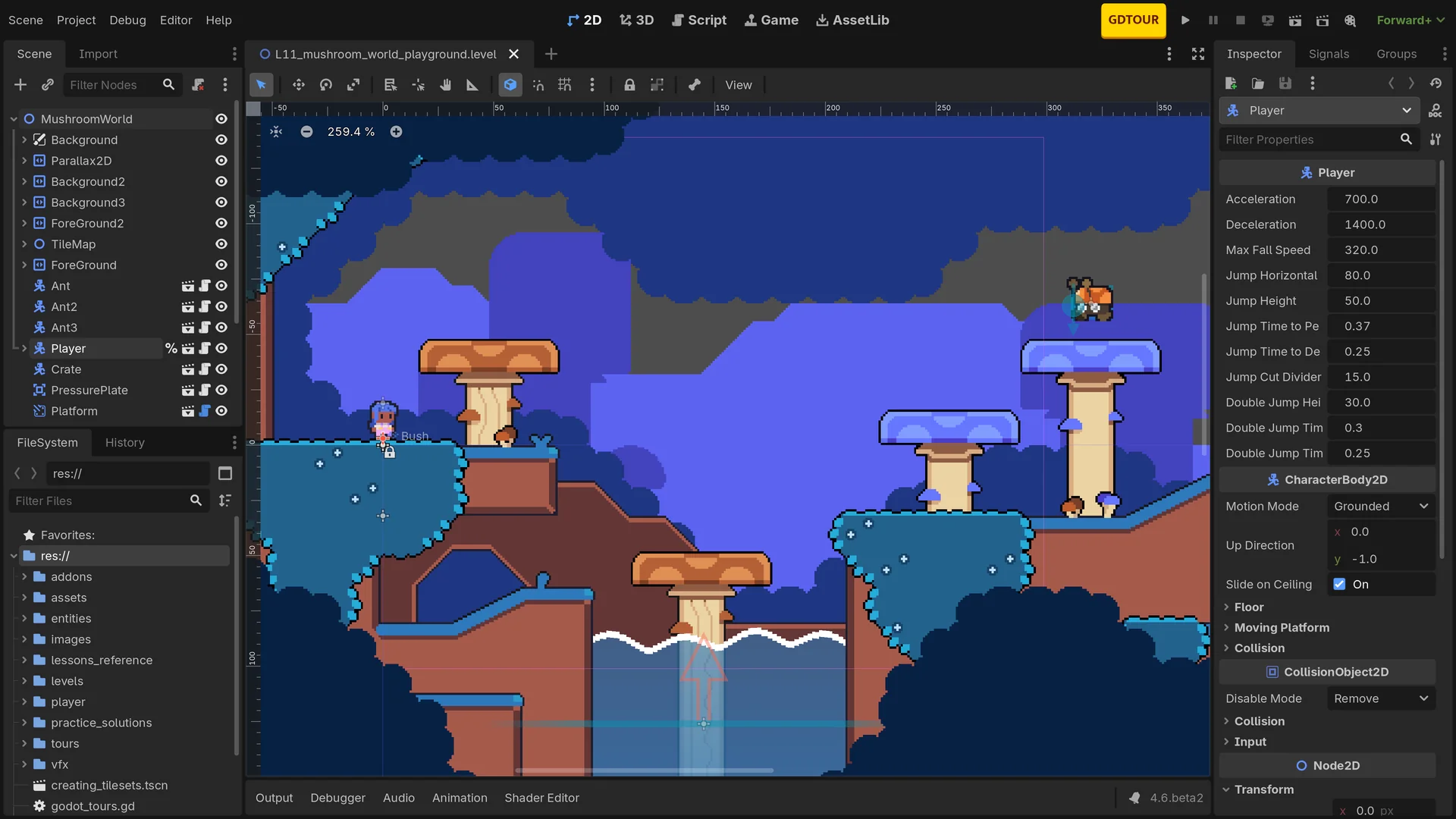
The new default Modern theme (based on the popular Godot Minimal Theme plugin) replaces the old blue look with clean grayscale lines. Grayscale avoids biasing your color judgment during art work. You can switch back to classic or Godot 3 themes; Minimal Theme plugin users can uninstall it.
The docking system was overhauled: bottom panels now integrate into the docking layout, most panels can be dragged anywhere or floated to a second screen, with a blue preview while dragging. New shortcuts like Alt+O (output panel) and Alt+S (shader editor).
Other editor improvements:
3D Viewport Refinements
Physics: Jolt Is the New 3D Default
Jolt — the engine used by Death Stranding 2 — is now the default 3D physics for new projects. Upgraded projects keep their existing engine; switching is one click in project settings. Jolt offers better performance and stability with a nearly identical API, reducing ghost collisions. Some advanced joint properties remain Godot Physics-only.
Animation: Built-in IK Returns
Built-in inverse kinematics is fully back: CCD, FABRIK, Jacobian, spline, and two-bone IK, applied dynamically via SkeletonModifier — perfect for feet on uneven terrain or natural hand grabs. The bezier curve editor supports grouping (solo, hide, lock, delete), and timeline length is directly draggable.
Rendering, 2D, UI, and More
References
1. GDQuest. Godot 4.6: What changes for you. https://www.gdquest.com/library/godot_4_6_workflow_changes/ 2. Godot Engine Documentation. Using Jolt Physics. https://docs.godotengine.org/en/stable/tutorials/physics/using_jolt_physics.html 3. Godot Engine Release Notes for 4.6 4. Bastiaan Olij on OpenXR and Spatial Entities in Godot 5. GDQuest Course Updates for Godot 4.6